BLOG
Beyond the Hype: What Copilot Actually Changes in Your Workday
Written by:

Nikhil Patel
Table of Contents
The Evolution of AI in the Workplace
Over the past year, artificial intelligence has shifted from a novelty to a daily presence in the workplace. Early versions of tools like Copilot felt almost experimental. Today, Copilot is deeply woven into Microsoft 365, sitting inside Outlook, Teams, Word, Excel, PowerPoint, and even custom integrated agents.
The Promise and the Challenge
The promise is powerful. Copilot can draft text, summarize meetings, analyze data, and surface insights that would have taken hours to assemble manually. At the same time, the models behind Copilot have become more capable and more confident. When your prompts are vague or under specified, Copilot may fill the gaps with guesses. In other words, hallucinations increase when prompt quality decreases. As organizations move from pilots to broad deployment, the real question is no longer “What can Copilot do” but “How do we work with Copilot in a way that is accurate, responsible, and sustainable.” The true transformation lies not only in the capabilities of Copilot, but in how intentionally we prompt it and how clearly we design our workflows around it.The Hype versus the Reality
Many presentations and headlines still promise that “Copilot writes your reports,” “Copilot runs your meetings,” and “Copilot saves you hours.” There is some truth in each of these claims. In practice, however, Copilot does not replace your work. It reorganizes it. It gives you a head start, but you still have to decide where you are going. Across dozens of enablement sessions, one clear pattern emerges. When users treat Copilot as a guessing machine, they become frustrated by hallucinations and inaccuracies. When they treat Copilot as a teammate that needs instructions, the transformation is immediate. They stop typing one line commands and start supplying context. They move from “make me something” to “here is the situation, here is the source, here is what I need.” They move from memory to insight.Real-World Impact: CPA Firm Transformation
In one CPA firm, the impact began with basic productivity gains. Most users initially gained between one and ten hours of productivity per week through Copilot in Word, Excel, and Outlook. They used it to summarize emails, draft client responses, and produce first versions of audit documentation. At first, vague prompts sometimes produced invented figures or generic language that did not match their standards.01
Initial Adoption
02
Prompt Guidelines
Introduced requirements to reference specific clients, time periods, and source files
03
Advanced Integration
As a result, the firm introduced simple prompt guidelines. Users were asked to reference specific clients, time periods, and source files in every request. Within three months, the same firm was designing integrated agents without any coding background to support audit preparation, engagement tracking, and tax workpaper reviews. What began as a few hours saved each week evolved into carefully designed workflows that returned entire workdays to client service and analysis, with a clear reduction in hallucinated or irrelevant content.
Manufacturing Innovation: From Productivity to Competitive Advantage
A similar evolution unfolded in the pet food manufacturing industry. After achieving steady daily productivity gains with Microsoft 365 Copilot, the production and research and development teams began to explore Copilot Studio. Line managers and quality analysts, none of whom had traditional programming experience, started to build virtual agents that handled repetitive reporting, maintenance logs, and formulation documentation.
The lesson is simple
Copilot is not only an assistant. It is the front door to an ecosystem of intelligent collaborators. As the technology becomes more powerful, your prompts must become more deliberate. The more fluently you learn to design and refine prompts, the faster you progress from individual efficiency to reliable organizational intelligence.A New Rhythm of Work
A workday with Copilot does not feel different only because things happen faster. It feels different because the flow of attention changes. The day becomes more structured, and the work becomes more intentional.The Transformed Workday
-
01 | Morning Syncs
Morning syncs begin with context instead of clutter. Rather than scrolling through unread emails or scanning Teams channels, professionals ask Copilot questions like, "Summarize the important decisions from the audit planning channel for the past five working days and list open items by owner." This kind of prompt does three important things. It narrows the scope, it defines the time frame, and it specifies the output format. In return, Copilot is far less likely to invent details and far more likely to surface actual decisions from real conversations.
-
02 | Midday Deep Work
By midday, deep work sessions begin with a structured starting point. A project proposal, training outline, or client update no longer begins with a blank page. Instead, a user provides a prompt such as, "Based on this document library for the Alpine client, draft a two page status update that covers current risks, milestones, and next steps. Use a professional but conversational tone." Copilot assembles a first version from the content you already have, and you spend your energy on judgment, nuance, and accuracy.
-
03 | Afternoon Collaboration
During afternoon collaboration, Copilot continues to act as a bridge between conversations and outcomes. Teams transcripts are turned into concise summaries and action item lists. Outlook threads are converted into Planner tables. When the prompts specify which meetings, which date range, and which outcomes matter, the risk of hallucination drops and the usefulness of each summary rises.
-
04 | End of Day
As the day closes, Copilot in Outlook converts notes into follow up messages and progress reports. Instead of "write a summary of today," users ask, "Turn my notes from the FreshPet formulation review into three short update emails, one for the operations director, one for the research and development team, and one for the finance lead, each with next steps and due dates." That level of specificity allows Copilot to tailor the content without inventing details that were never discussed.
Before Copilot, many professionals began each day with a full inbox and an empty plan. Now they begin with clarity, context, and a head start. Copilot does not replace judgment. It amplifies it, provided that the user supplies clear direction and checks the output.
The Three Shifts That Actually Matter
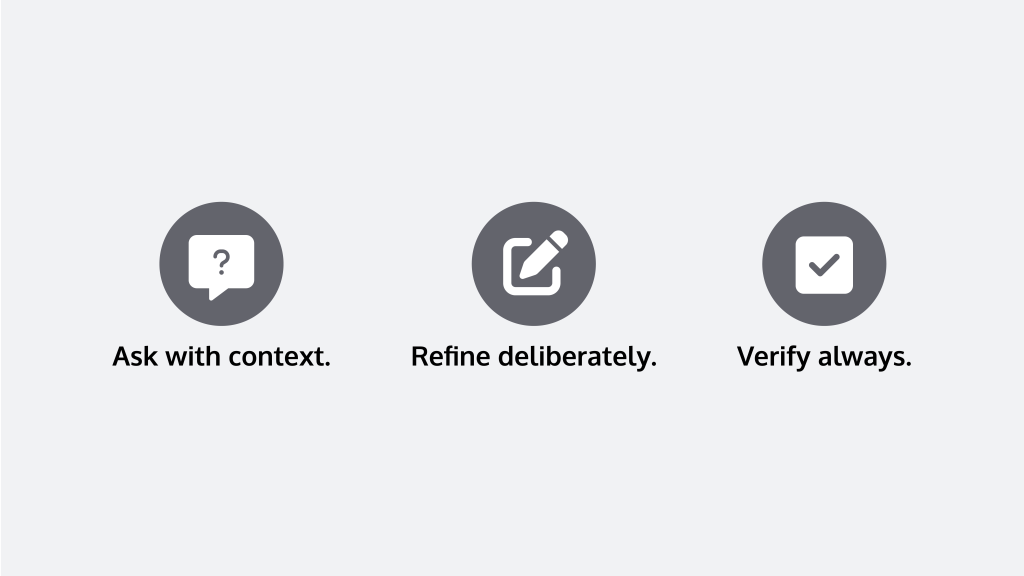
01. From Searching to Asking with Context
The traditional workday depended on manual search. You searched for a document, an email, or the latest version of a spreadsheet. Copilot changes this by allowing you to ask questions. However, the quality of the answer depends entirely on how you ask.
Vague Prompt
“What is happening with the Orion project”
Invites Copilot to guess
Grounded Prompt
“From the Orion project channel and related SharePoint folder, summarize decisions from the last three meetings and list open risks by owner”
Pushes Copilot to work with actual data instead of assumptions
The shift is not only from searching to asking. It is from unstructured requests to carefully framed questions that reduce hallucinations and tie responses back to real content.
02. From Writing to Prompting and Refining
Copilot removes the fear of the blank page. It can draft emails, reports, and presentations in seconds. The temptation is to ask for a draft in one sentence and accept the result. That is where hallucinations creep in.
The new skill is to think before you type. Who is the audience. What is the purpose. Which source materials should Copilot use. What length and tone are appropriate.
A prompt that says, "Draft a one page client update for the Apex audit using the notes from this file and the minutes from the last two Teams meetings. Focus on resolved issues, remaining risks, and upcoming milestones. Use clear and direct language," will almost always produce a stronger and more accurate draft than "Write a client update."
Writing has evolved from solitary composition to an iterative conversation. You design a prompt, Copilot produces a draft, and you refine. When you include source references, structure, and audience details in the prompt, you dramatically reduce the chance that Copilot will invent content.
3. From Memory to Verified Insight
Professionals used to rely heavily on memory and personal note systems. Copilot offers a different path. It can recall details from meetings, documents, and messages and present them in a structured way. Yet this power comes with a responsibility to verify.
When you ask, “What are the three largest cost variances this quarter,” Copilot will respond confidently. If your data is incomplete or if your prompt did not specify the exact workbook or table, it may infer or extrapolate. The user still has to confirm the figures in Excel or the original report.
The real shift is from trying to remember everything to knowing how to ask Copilot for insight and then validating that insight against trusted data. Copilot becomes a partner in pattern recognition, not a final authority.
What Copilot Still Cannot and Should Not Do
Copilot is more capable than it was a year ago. It understands more context, surfaces more connections, and integrates with more applications. None of that removes its limitations. It still struggles with incomplete information, conflicting instructions, and subjective judgments. It still produces hallucinations, especially when prompts are broad or when the model is not grounded in specific content.01
Ethics & Compliance
02
Guardrails Required
03
Organizational Mirror
In many ways, Copilot acts as a mirror for an organization. If your data is well organized, your permissions are sensible, and your collaboration habits are structured, Copilot will amplify those strengths. If your content is fragmented and your instructions are vague, Copilot will amplify confusion. It will look productive while spreading inaccurate or incomplete information.
Real Workflows, Real Results
The value of Copilot becomes very clear when you look at specific workflows that pair good prompts with well organized content.Teams to Word to Planner
Email to PowerPoint
Excel to Insight
The Human Factor: New Skills for the AI Powered Professional
The professionals who are getting the highest return from Copilot are not necessarily the most technical. They are the ones who have learned to think like designers of conversations. They decide what they want, where the truth lives, and how to phrase their request so that Copilot can work safely inside that frame.
AI literacy now includes prompt engineering as a core skill. That phrase can sound complicated, but the practice is very practical. A good prompt usually answers four simple questions:
Does the answer already exist in a document or email?
What do I want?
Where should Copilot look?
When or what time frame matters?
The Real Shift
The real revolution is not Copilot on its own. It is the mindset it requires from us. Productivity in the age of AI will not be driven by blind automation. It will be driven by thoughtful augmentation, where a digital teammate handles the first draft, the first summary, or the first analysis, and a human professional provides direction and judgment.Try This Tomorrow
Put these principles into practice with specific exercises designed to improve your prompt quality and reduce hallucinations:
01. Teams Summary:
Ask Copilot in Teams to summarize your last three project meetings, but specify the channel, date range, and that you want only decisions and open actions.
02. Email Draft:
In Outlook, ask Copilot to draft a client follow up email using a specific email thread as the source, and review how well it sticks to actual details.
03. Status Report:
In Word, provide a document library as context and ask Copilot to draft a one page status report for a single client, with sections for risks, milestones, and next steps.
04. Data Analysis:
In Excel, open a report and ask Copilot to describe the three most important trends in plain language for a non technical audience, then validate the numbers.
05. Prompt Comparison:
For one important prompt, rewrite it so that it specifies the audience, source, time frame, and desired format, and compare the result to a vague version of the same request.
Bottom line: LLMs help extend the warehouse. They don't replace it; they feed it—turning narrative into data while keeping the narrative handy - so that LLMs can reason about the metrics within the context of the relative narrative.