Manual Bookkeeping Is Costing You More Than You Think
AI for bookkeeping is the practice of using machine learning, optical character recognition (OCR), and predictive analytics to automate financial record-keeping tasks — replacing manual data entry, transaction categorization, and reconciliation with systems that learn and improve over time.
Here’s what it delivers in practice:
| What AI Bookkeeping Does | Real-World Impact |
|---|---|
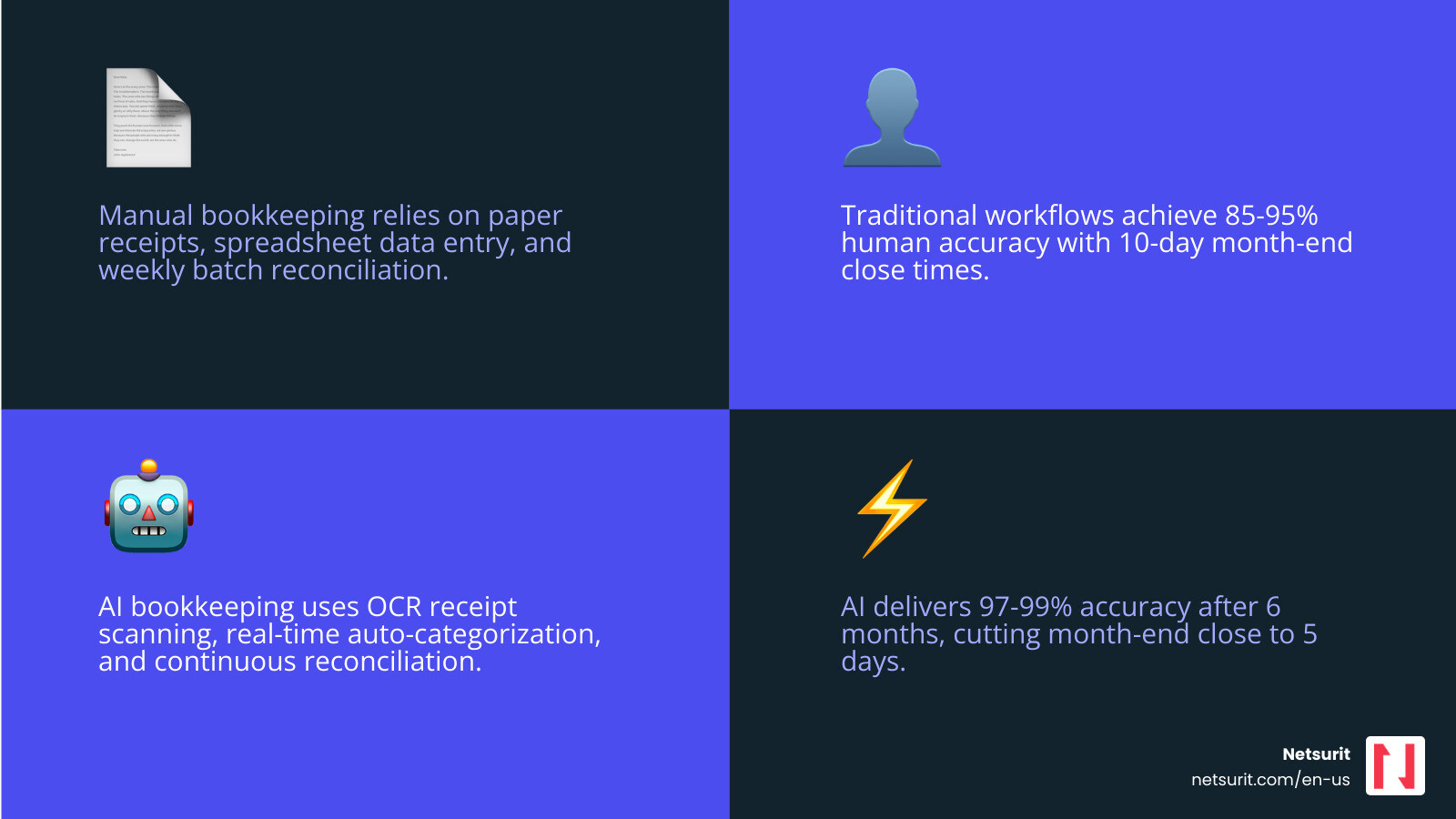
| Auto-categorizes transactions | 95%+ accuracy from day one; 97-99% after 6 months |
| Scans and extracts receipt data (OCR) | 97% character recognition accuracy as of 2024 |
| Detects anomalies and flags errors | Reduces manual matching errors by up to 39% |
| Forecasts cash flow | Burn rate and runway visibility in real time |
| Accelerates month-end close | 30-40% faster; some firms cut close time in half |
This isn’t a marginal upgrade over spreadsheets. A Stanford/MIT-backed study found that AI use in accounting reallocates roughly 9% of accountant time away from routine data entry toward higher-value work — while also improving ledger accuracy and cutting monthly close time by 7.5 days. SMBs report saving $20,000–$50,000 annually in bookkeeping costs after switching to AI-assisted systems.
The catch? AI handles volume and pattern recognition well, but it still makes mistakes on irregular or complex transactions. Human oversight remains essential — especially for tax strategy, compliance, and judgment calls that no model handles cleanly yet.
I’m Orrin Klopper, CEO of Netsurit, and over nearly three decades of helping businesses modernize their operations, I’ve seen how AI for bookkeeping shifts finance teams from reactive record-keeping to proactive decision-making. In this guide, I’ll walk you through exactly how to implement it — and where to watch your step.
Simple guide to AI for bookkeeping:
- AI-powered financial analysis
- AI for accounting
- Automate accounts payable
How AI for Bookkeeping Outperforms Traditional Software
Traditional accounting software acts as a digital filing cabinet; you still have to put the files in the right folders. AI for bookkeeping acts as a digital clerk that files the documents for you. While legacy systems rely on rigid, “if-this-then-that” rules, modern AI uses machine learning to understand the context of a transaction.
Research from Stanford and MIT, titled Human + AI in Accounting: Early Evidence from the Field, highlights that AI doesn’t just work faster—it works deeper. Adopters saw a 12% increase in ledger granularity, meaning transactions are tracked with more detail than a human could feasibly manage manually. This level of detail is a cornerstone of digital finance transformation, allowing Houston-based businesses to see exactly where every dollar goes without drowning in data entry.
Automated Transaction Categorization and OCR in AI for Bookkeeping
The most immediate win for any business in the Sugar Land or Katy area is the elimination of the “shoebox of receipts.” Modern OCR (Optical Character Recognition) has reached a 97% average character recognition accuracy. Tools like Bookeeping.ai use this to scan an invoice from your inbox, extract the vendor name, date, and amount, and match it to a bank transaction automatically.
If you run a professional services firm in Conroe, you know that vendor name mismatches are a common headache. AI reduces these errors by 62% by comparing receipt data against a pre-loaded master database. It learns your specific patterns; if you always categorize “Starbucks” as “Travel & Meals,” the system stops asking and starts doing.
Anomaly Detection and Cash Flow Forecasting with AI for Bookkeeping
Beyond simple entry, AI acts as a 24/7 internal auditor. It monitors your books for anomalies—like a duplicate invoice or a sudden spike in software subscriptions—and flags them before they hit your financial statements. This proactive approach makes financial statements smarter with AI, transforming a static P&L into a predictive tool.
For startups and SMBs, AI provides real-time “burn rate” and “runway” analysis. Instead of waiting until the 15th of the month to know how much cash you have, you get a live dashboard. This visibility allows you to make hiring or purchasing decisions based on tomorrow’s projected cash flow, not last month’s history.
Top AI Bookkeeping Tools for 2025-2026
Choosing the right tool depends on your transaction volume and the complexity of your operations. Here is how the leading platforms compare:
| Feature | Digits | Docyt | Zeni |
|---|---|---|---|
| Primary Focus | Real-time Dashboards | Full-Stack Automation | Startup Finance Ops |
| Best For | Tech-savvy SMBs | Multi-entity/Hotels | High-growth Startups |
| Accuracy | High (95%+) | Very High (99%) | High + Human Review |
| Key Strength | Zero learning curve | Revenue reconciliation | Burn rate analysis |
High-Precision Automation for Mid-Market Firms
For larger firms in the Houston metro area, Vic AI and Truewind offer enterprise-grade capabilities. Vic AI specifically targets accounts payable, boasting a 355% increase in invoice processing productivity. It doesn’t just read the invoice; it routes it for approval and prepares the payment. Using these AI tools to reduce manual data entry allows your finance team to shift from “processing” to “analyzing.”
All-in-One Finance Stacks for Startups
If you are looking for a “set it and forget it” experience, AI-powered bookkeeping software like Digits is designed with a zero learning curve. It connects to over 12,000 banks and credit cards, providing live metrics that visualize your KPIs instantly. Docyt is another powerhouse that excels in multi-entity accounting—perfect for a business owner with several locations across Houston and Sugar Land.
A 4-Step Guide to Implementing AI Bookkeeping
Transitioning to AI for bookkeeping is an 8-to-12-week journey for most SMBs. It requires a disciplined approach to ensure the machine learns from clean data.
Step 1: Audit and Clean Legacy Data
AI is only as good as the data it consumes. Before connecting any AI tool, you must perform a “data hygiene” check. This involves removing duplicate vendors, resolving unlinked transactions, and ensuring your Chart of Accounts is standardized. Cleaning your data first is the best way to automate accounting firm workflows with AI, as it prevents the AI from learning incorrect habits.
Step 2: Select and Integrate Your AI Stack
Most AI tools are designed to work alongside your existing ledger. Whether you use QuickBooks Online or Xero, ensure the AI tool has a native integration. You can find compatible tools in the Xero app marketplace.
For those heavily invested in the Microsoft ecosystem, Microsoft 365 Copilot can now query your financial data directly from Business Central. Imagine asking your computer, “Show me all invoices over $5,000 from last month,” and getting an answer in seconds.
Step 3: Configure Rules and Train the Model
During the first 30 days, the AI will achieve roughly 90-92% accuracy. This is the “learning phase.” You or your bookkeeper must review categorized transactions and correct any misclassifications. Each correction “trains” the model. By month three, accuracy typically climbs to 97%.
Step 4: Establish Human Oversight
AI is an assistant, not a replacement. You must schedule a weekly 10-minute “check-in” to handle flagged anomalies and a monthly deep-dive to review the AI-generated reports. This ensures that the “human-in-the-loop” provides the necessary context that AI lacks.
Managing Risks and the Human-in-the-Loop Requirement
While the efficiency gains are undeniable, over-reliance on AI is a genuine risk. The Stanford/MIT study noted that accountants occasionally over-rely on inaccurate AI suggestions if they don’t stay vigilant. This is why we advocate for a balanced approach.
Security is another non-negotiable. When selecting a vendor, look for SOC 2 Type II compliance. This ensures your sensitive financial data is encrypted and handled according to strict industry standards. We discussed this balance in our BDO Webinar: AI Accountants and the Death of Quick Fix, emphasizing that technology should support, not bypass, professional standards.
Trade-offs of AI Automation
| Context | Guidance |
|---|---|
| Works best when | You have high transaction volumes and digital receipts. |
| Avoid when | You rely on legacy paper systems or have complex, multi-state tax nexuses. |
| Risks | Model drift (AI getting less accurate over time) and data privacy leaks. |
| Mitigations | Quarterly model re-training and using SOC 2 certified vendors. |
Frequently Asked Questions about AI Bookkeeping
Will AI replace my human accountant?
No. AI replaces the tasks of a bookkeeper—the data entry, the matching, the filing. It does not replace the judgment of an accountant. Your accountant will shift from being a “data processor” to a “strategic advisor,” helping you with tax planning and business growth strategies.
How accurate is AI for bookkeeping in 2026?
As of 2026, top-tier AI systems achieve 95% accuracy on day one. With consistent use and human feedback, this improves to 99% within six months. For context, human data entry typically has an error rate of 5-15% depending on fatigue and complexity. You can find more benchmarks in the Docyt Knowledge Center.
What is the typical ROI for SMBs?
Most SMBs save between $20,000 and $50,000 annually by reducing outsourced bookkeeping fees and internal labor costs. Beyond the dollar savings, the 30-40% reduction in month-end close time allows business owners to make decisions faster, which is often more valuable than the direct cost savings.
Conclusion
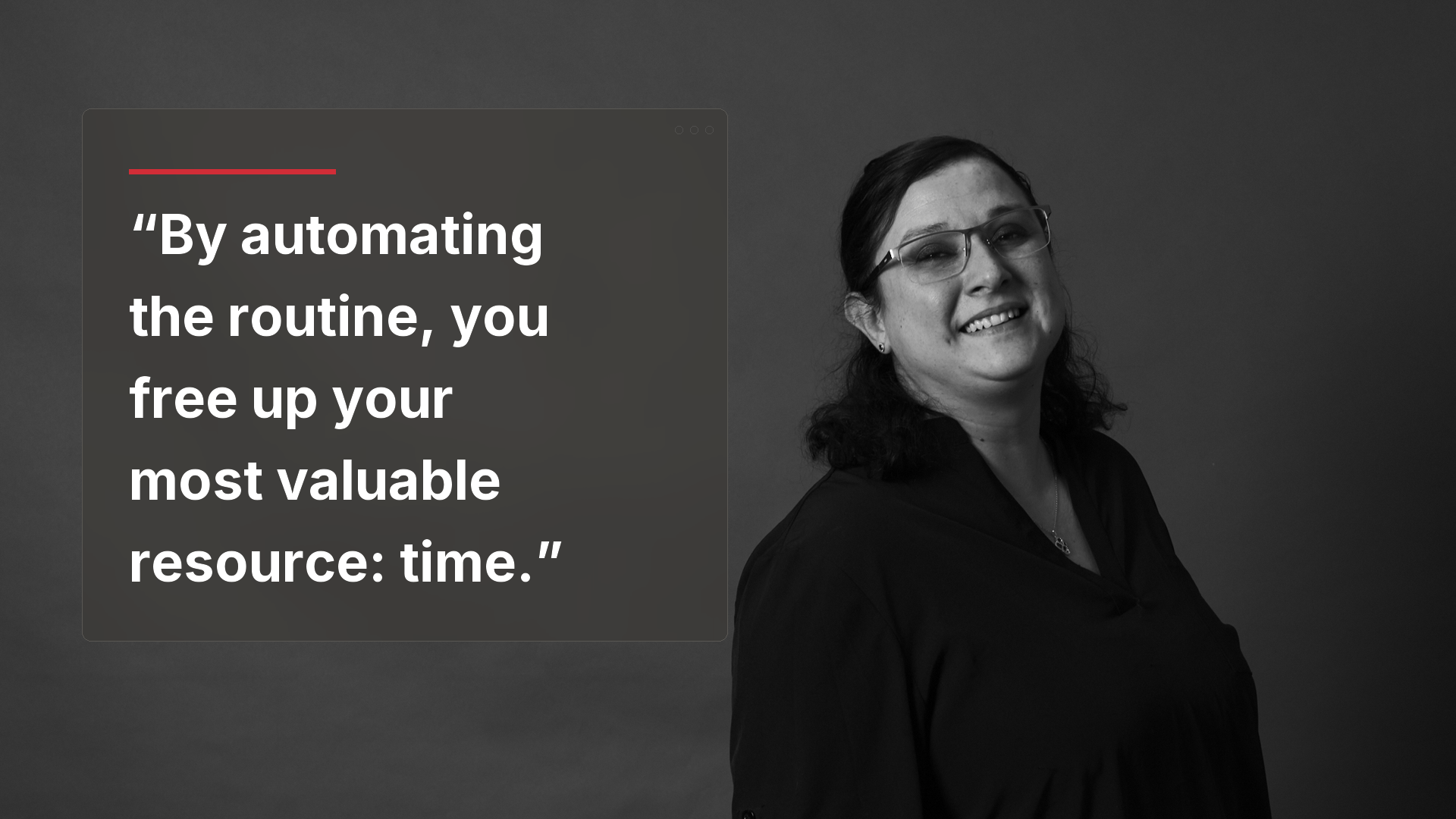
The era of manual data entry is ending. For businesses in Houston, Sugar Land, and beyond, AI for bookkeeping is no longer a luxury—it is a baseline for staying competitive. By automating the routine, you free up your most valuable resource: time.
At Netsurit, we help our clients navigate this digital transformation in accounting by providing the IT infrastructure and security layers needed to support AI tools. Ready to stop chasing receipts and start growing your business? Ready to Work Smarter? Let’s Talk AI.
What to watch next: In late 2026, look for “Agentic Finance” tools that don’t just categorize transactions but proactively negotiate vendor discounts and manage collections autonomously.
Next Action: Audit your current bookkeeping process and identify the three most time-consuming manual tasks to target for automation this quarter.