Why Houston Accounting Firms Can’t Afford to Ignore Strategic IT
For Houston accounting firms, the stakes are high. A single data breach can destroy client trust, while downtime during tax season can cost tens of thousands. Slow, manual workflows limit your ability to scale. Strategic IT Services for Tax and Accounting are the solution, providing the tools to reduce downtime, protect sensitive data, and operate efficiently.
Key services include:
- Managed IT Services: Proactive monitoring, 24/7 helpdesk, and system maintenance.
- Practice Management Software: Centralized client data, task tracking, and billing.
- Cybersecurity & Compliance: Data encryption and adherence to IRS Publication 4557.
- Cloud Computing: Remote work enablement and scalability.
- Workflow Automation: Automated data entry, e-signatures, and client portals.
- AI & Analytics: AI-powered assistants and automated reporting.
Firms that adopt these tools gain a competitive edge with faster turnarounds and better margins. But technology alone isn’t enough. You need an IT partner who understands the unique demands of tax and accounting, from compliance with IRS data security standards to zero tolerance for downtime.
This guide covers the core IT services, security essentials, and how to choose the right IT provider for your Houston practice.
I’m Orrin Klopper, CEO of Netsurit, a global IT services company with an office in Houston. For 30 years, I’ve helped accounting firms modernize their IT, reduce risk, and build scalable systems. The insights here come from our work with over 300 organizations, including many in the tax and accounting sector.
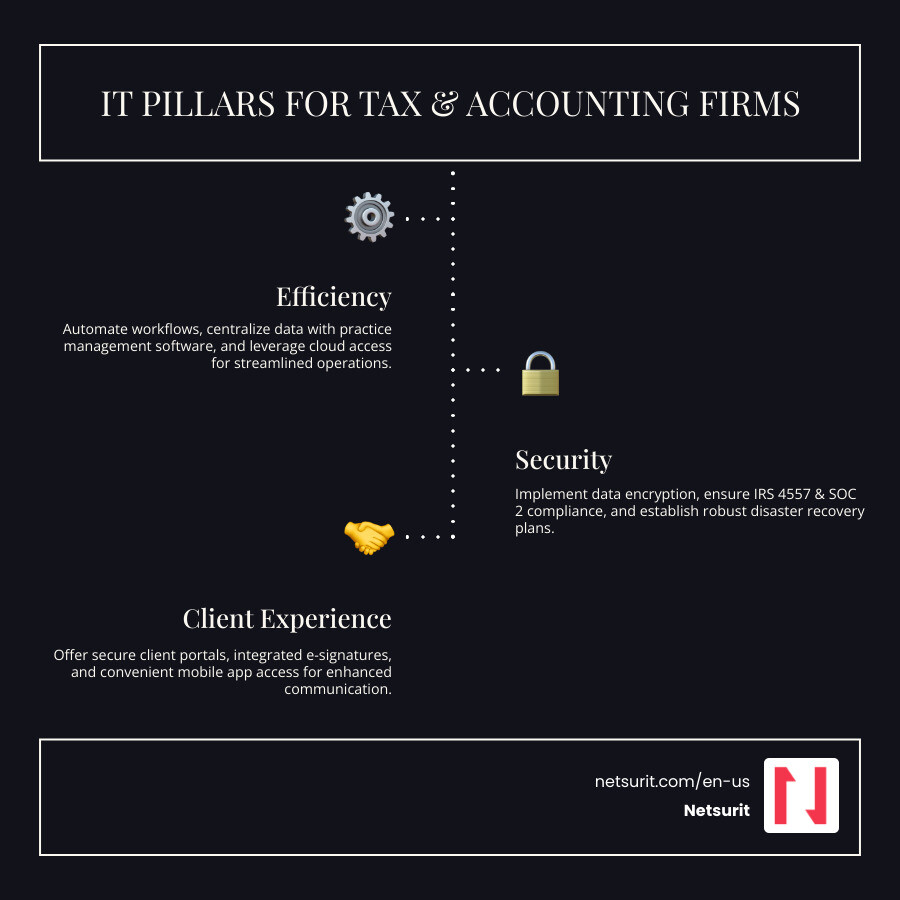
Core IT Services That Drive Accounting Firm Performance
Your firm’s technology stack is either an asset or a liability. For Houston practices, IT Services for Tax and Accounting are foundational to working faster, serving clients better, and securing data. Moving beyond break-fix IT to a strategic partnership is key.
Our Managed IT Services prevent problems, while our IT Support team provides immediate help. The real power, however, comes from specialized tools like practice management platforms, workflow automation, and secure client portals that replace risky email chains. Platforms like Drake Tax® and CCH Axcess™ are strategic decisions that shape your firm’s future operations.
Streamlining Operations with Managed IT and Practice Management
Efficiency determines your ability to scale. We start with proactive monitoring to catch issues before they cause downtime—a non-negotiable during tax season. Our 24/7 helpdesk resolves technical problems immediately, preventing lost revenue from a frozen workstation at 9 PM on April 14th.
Workflow automation eliminates manual data entry, document tagging, and file organization, which drain energy and introduce errors. One 40-person firm we worked with saved over 20 hours per week by automating document intake. Centralized client data via practice management software gives your team a single source of truth. Platforms like TaxDome integrate CRM, project tracking, and document storage, allowing staff to track progress, retrieve files, get deadline alerts, and handle billing in one place. For a deeper dive, see this guide: What is accounting workflow management?
Example: A Houston CPA firm reduced client onboarding time by 30% in Q1 2024 using automated workflow tools to collect information and assign tasks.
Trade-offs Box:
- Works best when: Staff are open to process change and willing to adapt to new systems.
- Avoid when: Legacy systems lack the APIs needed for integration, requiring costly workarounds.
- Risks: Over-automation can miss nuanced exceptions if not properly configured.
- Mitigations: Implement automation incrementally and conduct regular process reviews.
Enhancing Client Experience and Communication
Clients judge you on your advice and their experience. IT Services for Tax and Accounting improve both. Secure client portals eliminate the risk of emailing sensitive documents. Clients upload W-2s and review returns through a professional, branded interface. Integrated e-signatures accelerate approvals for engagement letters and tax returns, with one platform processing over 400,000 e-signatures in 2024.
Mobile apps let clients and staff access documents and manage workflows from anywhere. Automated reminders reduce manual follow-up, while integrated payment processing like Drake Pay™ removes friction and improves cash flow. You can explore the Client mobile app to see how this works.
Example: Firms using secure portals in the Houston area saw a 40% drop in email-based document exchanges in 2023, drastically reducing security risks and improving client convenience.
Trade-offs Box:
- Works best when: Clients are tech-comfortable and prefer digital interactions.
- Avoid when: A significant portion of your client base lacks digital literacy.
- Risks: Missed notifications or technical glitches can frustrate clients.
- Mitigations: Offer multi-channel reminders (email, SMS, in-app) and provide clear support for digital tools.
Fortifying Your Firm: Security, Compliance, and Data Management
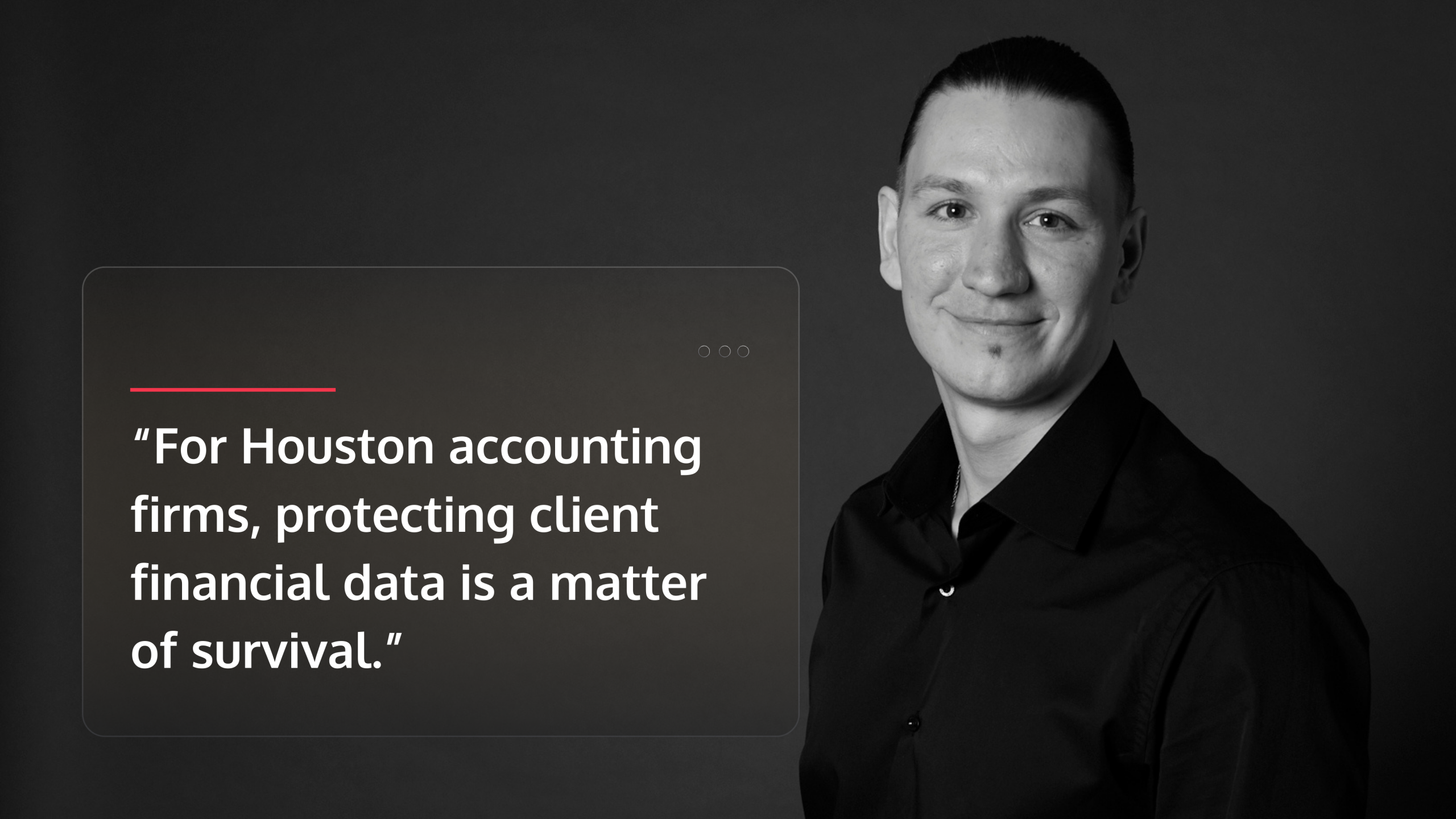
For Houston accounting firms, protecting client financial data is a matter of survival. A single breach can destroy trust and trigger crippling penalties. Cybersecurity, data encryption, and compliance with standards like IRS Publication 4557 are the non-negotiable foundation of modern IT Services for Tax and Accounting.
Data encryption must protect information at rest and in transit. Certifications like SOC 2 Type II prove your firm follows rigorous security protocols. When disaster strikes—a ransomware attack or a Houston hurricane—a disaster recovery plan must get you operational in hours, not days. Our Cyber Security Consulting and Backup and Disaster Recovery services provide these layered defenses.
Cybersecurity Essentials for Tax and Accounting IT
Cyber threats are sophisticated. A multi-layered security approach is essential, starting with phishing prevention through staff training and email filtering. Ransomware defense requires advanced endpoint security and network monitoring. A Zero Trust System architecture reduces your attack surface by requiring verification at every access point.
When prevention fails, you need clear data breach protocols. Managed Detection and Response (MDR) services provide 24/7 expert threat hunting, while regular vulnerability testing identifies weaknesses before attackers can exploit them. Understanding The Importance of Cybersecurity Compliance frames security as a competitive advantage, not just a cost.
Example: In 2023, a midsize Houston firm avoided a ransomware payout by detecting the attack early and restoring all critical client data from encrypted backups within 4 hours.
Trade-offs Box:
- Works best when: Staff complete regular security awareness training.
- Avoid when: Security updates are skipped, leaving known vulnerabilities exposed.
- Risks: No security is 100% foolproof against a determined attacker or insider threat.
- Mitigations: Test backups quarterly, run tabletop breach exercises, and maintain cyber insurance.
Ensuring Compliance and Business Continuity
IRS Publication 4557 mandates specific safeguards for taxpayer information. Non-compliance can lead to penalties and the loss of e-filing privileges. Strong data retention policies and detailed audit trails are also crucial for proving compliance and detecting unauthorized access.
Automated backups remove human error, copying your data nightly to secure, off-site storage. Our Cloud Disaster Recovery solutions replicate your systems in separate data centers. If a hurricane hits Houston, your team can switch to the backup environment and continue working, minimizing downtime during critical periods. Building a framework for Cyber Risk Compliance protects both regulators and your operations.
Example: Automated cloud backups enabled a Houston firm to recover all client files and resume operations within hours after a server failure in March 2024, preventing any disruption during tax season.
Trade-offs Box:
- Works best when: Backup schedules are enforced rigorously and include all critical data.
- Avoid when: Data is siloed across various systems, making comprehensive backup impossible.
- Risks: Backup failures can go unnoticed until an emergency.
- Mitigations: Schedule quarterly recovery drills to test data restoration and system functionality.
The Technology Trifecta: Cloud, AI, and Automation in Accounting
Cloud computing, artificial intelligence, and automation are no longer experimental; they are practical tools that solve real problems for Houston firms juggling remote teams and seasonal workloads. Our Cloud Consulting helps firms steer this shift.
Cloud Computing: Enabling Remote Work and Scalability
Cloud computing, artificial intelligence, and automation are no longer experimental; they are practical tools that solve real problems for Houston firms juggling remote teams and seasonal workloads. Our Cloud Consulting helps firms steer this shift.
Centralized software like Microsoft 365 eliminates version-control issues, while automatic updates and backups reduce IT overhead. Platforms like Microsoft Azure Services provide enterprise-grade reliability that most firms cannot build themselves.
Example: A Houston firm handled double its client volume during the April 2024 tax season by leveraging cloud-based systems without performance bottlenecks or new hardware.
Trade-offs Box:
- Works best when: Your firm has reliable, high-speed internet.
- Avoid when: Regulations mandate on-premise data storage or data sovereignty.
- Risks: Cloud outages can halt work; a provider breach affects all customers.
- Mitigations: Choose providers with 99.9%+ uptime SLAs and implement robust Cloud Security protocols.
AI and Automation: Reducing Manual Work and Error
AI and automation eliminate tedious data entry, document sorting, and reconciliation, freeing your team for high-value advisory work. We help practices Innovate AI with tools that fit their workflows. AI-powered assistants like CoCounsel Tax provide answers from tax code in seconds. We explore these tools in our AI Tools for Accounting & Tax Webinar.
Robotic Process Automation (RPA) extracts data from documents and populates your tax software, handling volume and repetition flawlessly. AI-driven analytics can then identify patterns like expense categories that trigger audits or billing anomalies. The key is to automate structured, repetitive tasks while reserving complex judgment and client strategy for experienced professionals. The best IT Services for Tax and Accounting blend both.
Example: Automated data entry cut bookkeeping time by 25% for a Houston practice in Q2 2024, allowing staff to focus on client advisory services.
Trade-offs Box:
- Works best when: Data is structured and consistent.
- Avoid when: Processes involve frequent exceptions or nuanced judgment.
- Risks: Over-reliance on AI without human oversight can cause systematic errors.
- Mitigations: Implement human review checkpoints and start with low-risk pilot projects.
Choosing Your IT Partner: What to Look for in Tax and Accounting IT Services
Selecting an IT partner is a strategic decision. For Houston accounting practices, your provider must understand compliance, confidentiality, and the need for zero downtime during tax season. Our IT Strategy Services help build a roadmap aligned with your growth, and as a leading IT Company in Houston, we know IT Services for Tax and Accounting require specialized precision.
Criteria for Evaluating an IT Service Provider
Generic IT support is not enough. Your partner must understand the unique demands of your industry. Key criteria include:
- Accounting Industry Experience: They should be familiar with tax software like Drake Tax® or CCH Axcess™ and the compliance landscape.
- Security Credentials: Look for SOC 2 Type II certification, which proves they have audited security controls.
- Support Model: A Houston-based team that can provide onsite support is invaluable when a server fails during tax season.
- Client Testimonials: Ask for references from other accounting firms to verify their performance during busy seasons.
- Service Level Agreements (SLAs): A good SLA defines response times and uptime guarantees, especially for critical periods.
- Technology Partnerships: A Microsoft Gold Partner status signals access to better tools and deeper technical knowledge.
For more details, read our guide on How to Choose a Managed Services Provider.
Example: Firms with Houston-based support teams reported 20% faster issue resolution in 2023 for hardware and network problems requiring physical access.
Trade-offs Box:
- Works best when: The provider has proven experience with accounting firms and their specific compliance and workflow needs.
- Avoid when: The provider offers only generic business IT and cannot provide industry references.
- Risks: An inexperienced provider may create compliance gaps or interrupt critical processes.
- Mitigations: Request detailed SLAs, check references thoroughly, and consider a trial period.
Managing Change: Adoption and Transition Planning
Technology fails if your team doesn’t use it. Successful adoption depends on managing the transition effectively.
- Staff Training: Plan for initial and follow-up training sessions. A small investment in training prevents months of inefficient workarounds.
- Data Migration: Carefully plan the migration of client records to avoid lost data and broken links. Test with a small data subset first.
- Change Management: Communicate the why behind the change. When staff understand the benefits, they become advocates.
- Budgeting: Account for the full cost, including licenses, implementation, training, and ongoing support. A 10-person firm moving to a cloud platform might budget $30,000–$50,000 in year one.
You must also choose between a phased implementation (lower risk, longer timeline) and a full cutover (higher risk, faster transition). Our Digital Transformation Framework can help you decide.
| Feature | Phased Implementation | Full Cutover |
|---|---|---|
| Risk | Lower; problems affect only pilot group | Higher; issues impact entire firm immediately |
| Cost | Higher due to dual systems and extended timeline | Lower total cost but concentrated expense |
| Complexity | Must manage integration between old and new | Single transition but requires intense planning |
| User Adoption | Staff learn gradually with peer support | Everyone adapts simultaneously; steeper curve |
| Best For | Large firms, complex workflows, low risk tolerance | Smaller firms, simpler systems, urgent needs |
Example: A 15-person Houston firm used a phased rollout to migrate 5,000 client records over three months, avoiding tax season disruption and achieving zero downtime.
Trade-offs Box:
- Works best when: Your team needs time to adapt, or you have complex workflows.
- Avoid when: Current systems are unstable, or maintaining dual systems is too complex.
- Risks: Phased transitions can drag on; full cutovers can fail if planning is poor.
- Mitigations: Set firm migration milestones, assign a project manager, and plan cutovers for your slowest season.
Frequently Asked Questions about IT Services for Accounting Firms
How does practice management software help my accounting firm?
Practice management software acts as a central hub for your firm, integrating client data, project workflows, billing, and document storage. This eliminates the need to juggle multiple spreadsheets and systems. Your team can track engagement status, see deadlines, and access client history in seconds, reducing administrative overhead and minimizing errors, especially during tax season.
Is my firm’s sensitive financial data secure in the cloud?
Yes, provided you use a reputable provider with proper security protocols. Modern cloud platforms use bank-level encryption and two-factor authentication. Leading providers maintain SOC 2 Type II certification, an independent audit of their security controls. The cloud is often more secure than on-premise setups because dedicated security teams provide 24/7 monitoring and immediate patching—a level of protection most firms can’t achieve on their own. Learn more about our Cloud Security measures.
Works best when: You choose a provider with proven security credentials and train staff on secure access practices.
Risks: Security depends on proper configuration; weak passwords or misconfigured controls create vulnerabilities.
Mitigations: Enforce strong password policies, use multi-factor authentication, and conduct quarterly security reviews.
How can IT services help a small firm scale for growth?
IT Services for Tax and Accounting give small firms access to enterprise-grade tools without the high capital expense. Key benefits include:
- Scalability: Cloud solutions let you increase server capacity during tax season and scale back down afterward, so you only pay for what you use.
- Automation: Automating routine data entry and client reminders allows a small team to handle a larger client base, freeing up staff for high-value advisory work.
These services give your practice the operational sophistication to compete with larger firms and win new business in the Houston market.
Conclusion
For accounting firms in the Houston area, strategic IT Services for Tax and Accounting are about securing your future. Embracing managed IT, cybersecurity, and automation creates a resilient, client-focused practice. The right IT partnership, grounded in industry expertise, lets you focus on serving clients and growing your business—not wrestling with technology.
Ready to transform your practice with leading IT solutions? Speak to an Expert about our Accounting Firm IT Services today.