Why Documenting IT Workflows is No Longer Optional for Accounting Firms
Undocumented IT processes create productivity drains, security vulnerabilities, and compliance risks that worsen as your firm scales. Documenting your IT workflows is a strategic move that delivers measurable results:
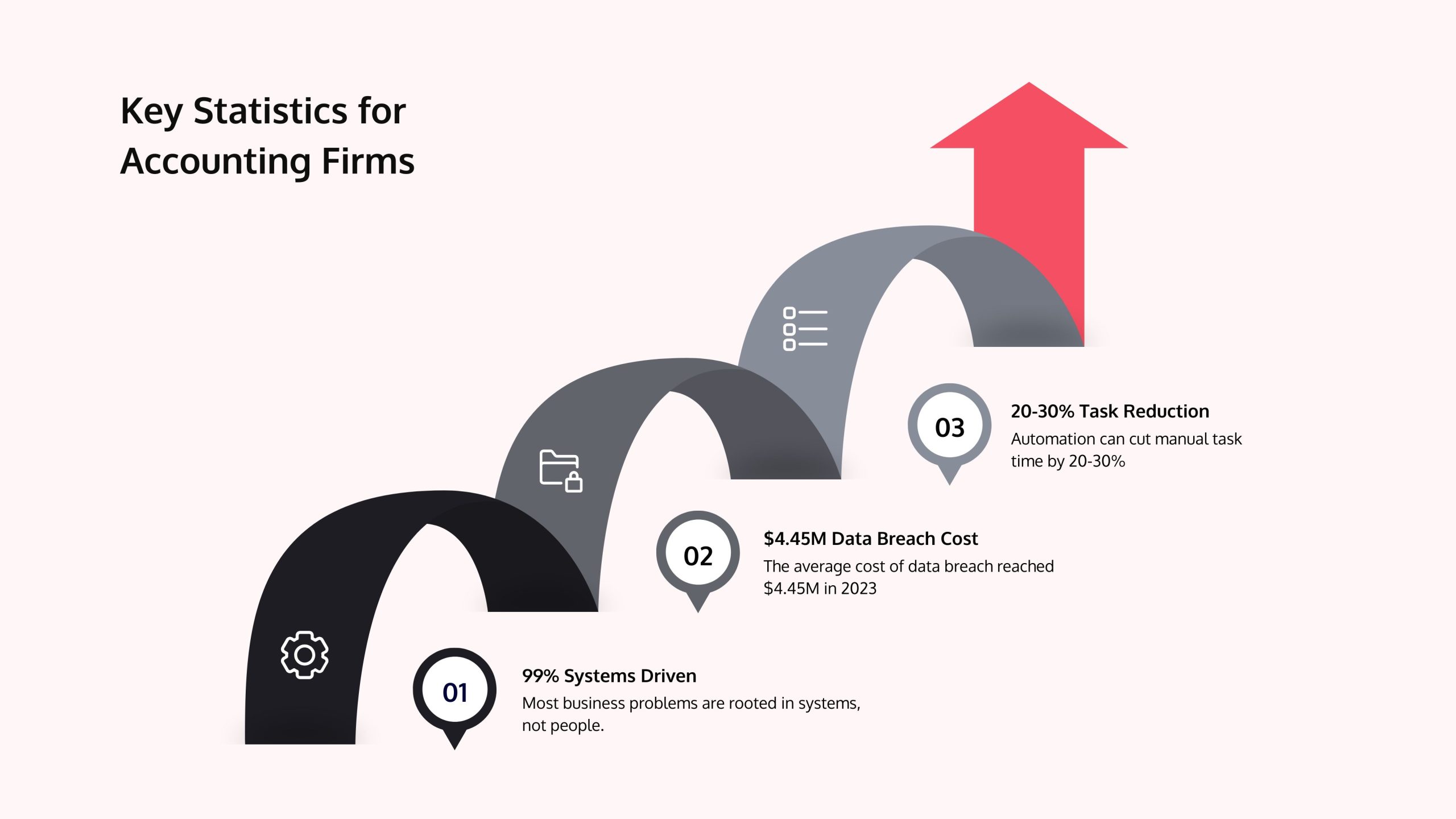
- 20-30% reduction in time spent on manual tasks through automation.
- 50% faster onboarding for new hires with clear, step-by-step procedures.
- $4.45 million average cost of a data breach avoided with consistent security protocols.
- Audit-ready compliance with clear trails showing how sensitive data is managed.
- Scalable growth without amplifying existing inefficiencies.
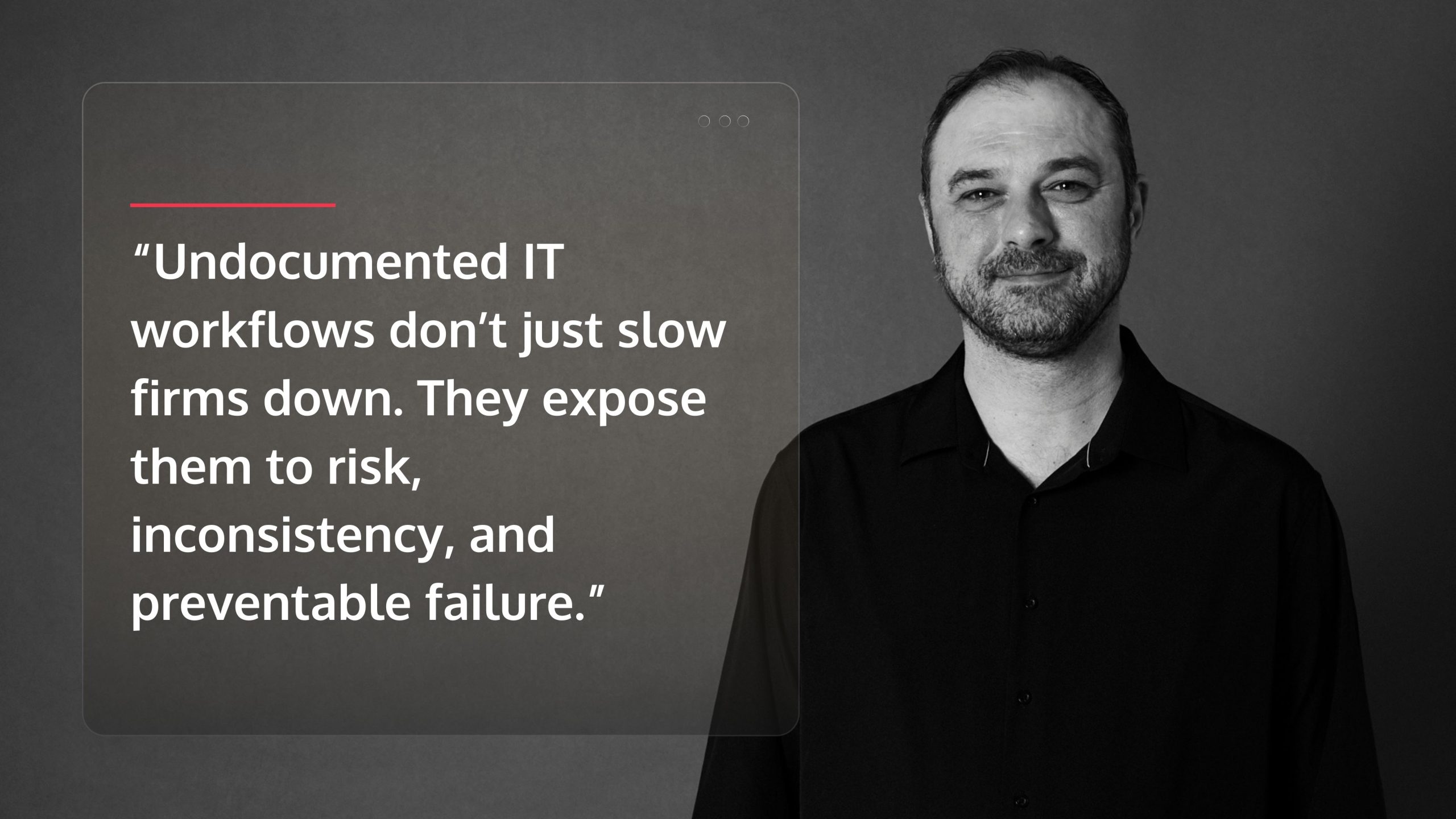
The facts are stark: 94% of business problems are systems-driven, not people-driven. Yet many accounting firms in the Houston area—from Sugarland to Conroe to Katy—rely on tribal knowledge. When a key person is sick, on vacation, or leaves, critical processes break down, client data is exposed, and new hires flounder.
Documented IT workflows transform this fragility into resilience. They turn ad-hoc tasks into repeatable systems, reduce errors, and strengthen security, creating a foundation for profitable growth. This isn’t about bureaucracy; it’s about building a firm that runs efficiently, whether you’re in the office or not.
I’m Orrin Klopper, CEO of Netsurit. For nearly three decades, we’ve helped accounting firms build reliable, secure IT systems. I’ve seen that firms that document their processes consistently outperform competitors in productivity, client satisfaction, and profitability.
Boost Firm Productivity and Consistency with Standardized IT Processes
Every hour your team spends figuring out “how we did this last time” is an hour of lost billable work. Standardized IT workflows eliminate that guesswork, giving every person—from a new hire to a senior partner—the exact steps to complete tasks correctly and quickly.
The payoff is immediate. A CPA firm in Katy documented its new client IT onboarding. Before, setting up portal access and QuickBooks took four hours per client. After creating a step-by-step guide, the process dropped to one hour. Every new client now receives an identical, secure setup with no skipped steps or security gaps.
This consistency builds a more resilient firm. When a senior accountant is on vacation during tax season, work doesn’t stop. When you hire new staff, they don’t spend weeks shadowing colleagues to learn “tribal knowledge.” The knowledge lives in your documented workflows, accessible to anyone.
How Documented IT Workflow Management Increases Efficiency
When you map out a process, bottlenecks and redundant tasks become obvious, and opportunities for automation reveal themselves. You can’t fix what you can’t see. The data shows that automation reduces time spent on manual tasks by 20% to 30%. For accounting firms, this means more capacity for client-facing work. Firms that automate transaction recording see a 25% reduction in data entry errors, which means less rework and happier clients.
Consider a Houston firm handling payroll. Without a documented workflow, each run varies, leading to wasted time and occasional errors. With a documented process, every payroll run follows identical steps. The process becomes predictable, teachable, and scalable. Your team stops reinventing the wheel, and you gain capacity without adding headcount. We help firms find these opportunities through our Productivity Assessment, often finding ways to improve team productivity by 20% quickly.
Works best when: You focus on high-volume, repetitive processes where small efficiency gains multiply.
Avoid when: The process is truly unique each time or changes so frequently that documentation becomes instantly obsolete.
Risks: Documentation becomes a filing-cabinet artifact that nobody uses.
Mitigations: Build workflows into the tools your team already uses and involve them in creating the documentation.
Why Documenting IT Workflows is Crucial for Delegation and Training
When processes live only in the heads of senior staff, they become bottlenecks, and new hires flounder. Documented workflows solve this by creating a single source of truth. This systematic approach can reduce new hire onboarding time by up to 50%, getting new team members productive faster.
Picture tax season at a Sugarland firm. A senior accountant is drowning in complex returns. With a documented workflow for the firm’s tax software, a junior accountant can open the knowledge base and follow the guide to complete the work correctly the first time. The senior accountant reviews the output, not the procedure. The junior learns faster, the senior escapes the bottleneck, and clients receive consistent, high-quality service.
As The Process Playbook research confirms, firms with standardized processes operate more efficiently. Your experienced staff can return to expert work, and your newer staff gain independence faster. When someone leaves the firm, their knowledge stays behind in your documented workflows, ready for the next person.
Fortify Security and Ensure Compliance by Documenting IT Workflows
For accounting firms, data security and regulatory compliance are non-negotiable. Documented IT workflows provide a clear, auditable framework for handling sensitive data, responding to threats, and adhering to industry standards. This significantly reduces your risk profile, especially when the average cost of a data breach reached $4.45 million in 2023.
Consistency is your strongest defense. When security procedures are just tribal knowledge, they break down under pressure. A documented workflow for access control ensures departing employees lose system access in hours, not days. Incident response plan tells your team exactly what to do when a phishing email slips through. A documented data encryption process guarantees client financial records are protected.
Our Cyber Risk Compliance services help firms establish these essential security workflows, creating a foundation for Building a Ransomware-Proof Business that protects your firm and your clients.
Mitigate Cyber Risks with Clear IT Security Protocols
A documented workflow for tasks like user access control, software patching, and incident response ensures critical security procedures are followed every time. Imagine a Conroe-based firm has a server fail during tax season. By following their documented disaster recovery workflow, they can restore all data from a secure cloud backup within an hour, avoiding catastrophic downtime. Without it, they face chaos and potential data loss.
Clear protocols also prevent disasters. Documenting how to set up new user accounts with proper access levels prevents accidental data exposure. A documented patching process closes vulnerabilities before attackers can exploit them. This consistency dramatically reduces your exposure to human error, the cause of most security incidents. Our Cybersecurity services can help you identify which security processes to document first.
Streamline Audits and Maintain Regulatory Compliance
During an audit, you must prove your processes are consistent and compliant. Documented IT workflows provide a clear trail showing how data is managed, protected, and reported. This transparency is crucial for meeting IRS requirements and GAAP standards, helping you avoid penalties like the record $25 million fine imposed on KPMG Netherlands for compliance failures.
Without documentation, proving compliance is a stressful ordeal of reconstructing processes from memory. Auditors see this disorganization as a red flag. A Houston firm undergoing an IRS audit can instead produce documented workflows for data backups and user access, demonstrating due diligence and easing the audit process.
Consider a Katy-based firm that documents its client data retention workflow. When an auditor asks about data handling, the firm provides clear documentation showing process transparency. This level of preparation not only satisfies auditors but also builds client trust. Our IT Audits and Assessments can help you identify compliance gaps and build the workflows to keep your firm audit-ready.
Why Do Accounting Firms Need IT Workflows Documented to Scale and Improve Client Experience?
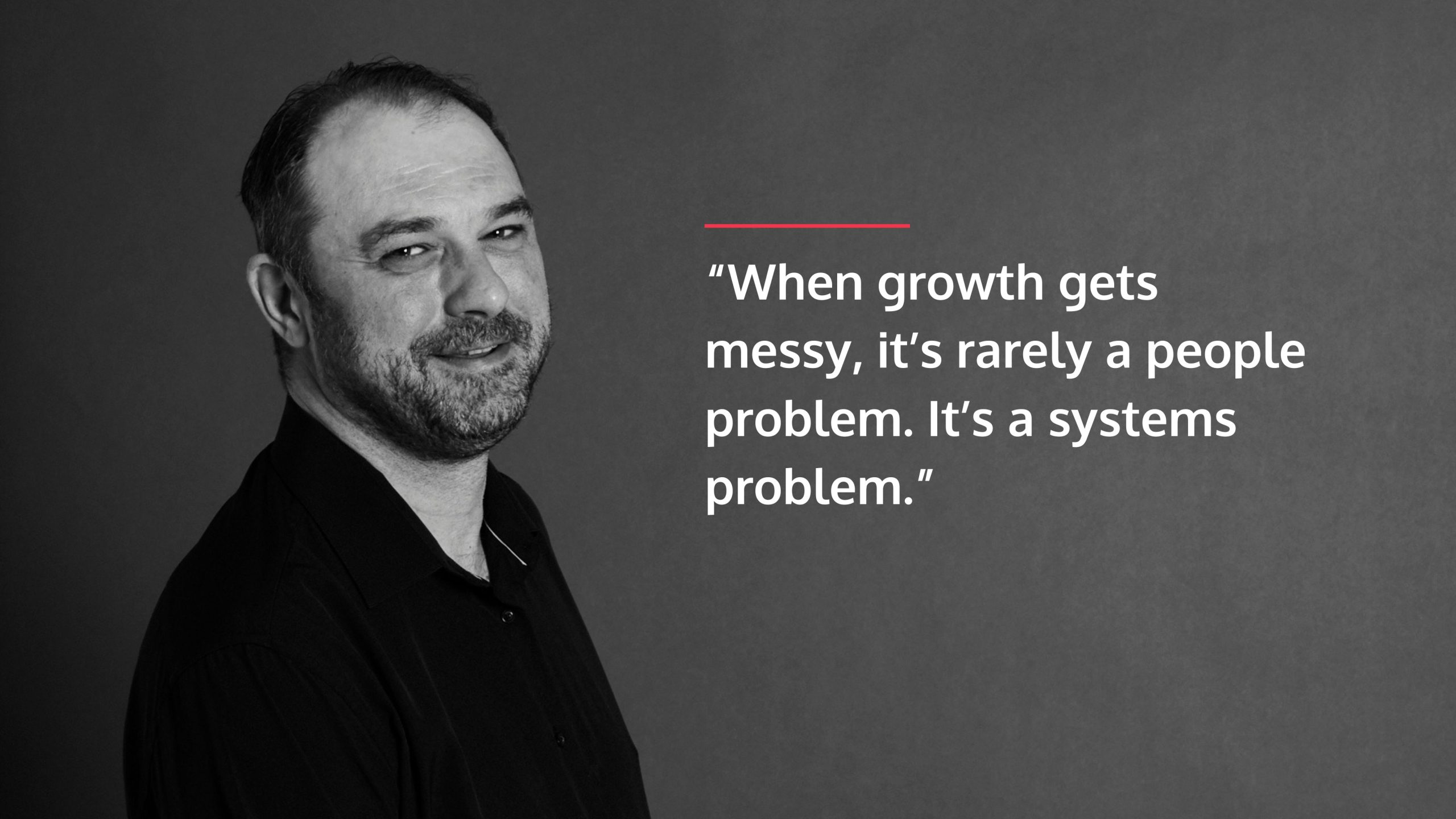
Growth exposes every crack in your operations. What worked for a five-person firm breaks at fifteen. Undocumented processes don’t scale—they collapse. Documented IT workflows create an operating model that grows with you, allowing your firm to expand without sacrificing quality or overwhelming your best people. This operational foundation directly improves client experience through faster, more consistent service.
Build a Foundation for Scalable Growth
Imagine a firm in Sugarland, TX, launching a new advisory services division. Without documented IT workflows, each new client setup is a custom project. With a documented workflow, the process is standardized, allowing them to onboard five new advisory clients per month smoothly instead of the two they struggled with before.
As one study notes, 94% of problems in business are systems driven, not people driven. Your team isn’t failing; your lack of systems is. Scaling without documented workflows means asking new hires to reinvent the wheel while existing staff drown in repetitive questions.
Documented processes make growth predictable. You can confidently onboard new staff, add service lines, and manage client growth. A Houston firm can calculate that with a documented onboarding workflow, training time for a new junior accountant drops from 40 hours to 20. That’s the difference between profitable growth and expensive chaos. Our IT Strategy Services help align your technology with your growth plans.
Why do accounting firms need IT workflows documented for better client service?
Your clients don’t care about your internal processes—until those processes fail them. A document submitted to your portal goes unseen because the notification went to someone on vacation. A client is locked out of their account because the person who knew how to reset passwords left. These are documentation failures.
Consistency and speed are pillars of a great client experience. Documented workflows for client-facing tasks ensure every interaction meets the same professional standard. A Conroe-based firm that documented its client communication workflow—from secure portal setup to inquiry response times—saw immediate improvements in client satisfaction. Clients received timely updates, and documents were never lost.
When a client from Houston needs last year’s tax return at 4:00 PM on a Friday, a documented workflow means any available team member can securely deliver it in minutes. Without documentation, that request might wait until Monday. One approach builds trust; the other erodes it. We help firms leverage Cloud Consulting to build client-facing systems with documented workflows that ensure consistent service.
How to Start Documenting Your Firm’s IT Workflows
You don’t need a six-month project to start. Pick one high-impact process that causes daily friction and document it. For instance, a Houston firm could choose its “End-of-Month Client Reporting” workflow. A simple checklist and a short video walkthrough can cut that time in half and ensure nothing is missed.
The goal is to build momentum through early wins. Choose a process that’s painful enough to matter but simple enough to document in a week. Test it, gather feedback, and refine it. This iterative approach proves value quickly and turns skeptics into advocates. Our guide on How to Create a Business IT Strategy offers a framework for aligning this effort with your firm’s goals.
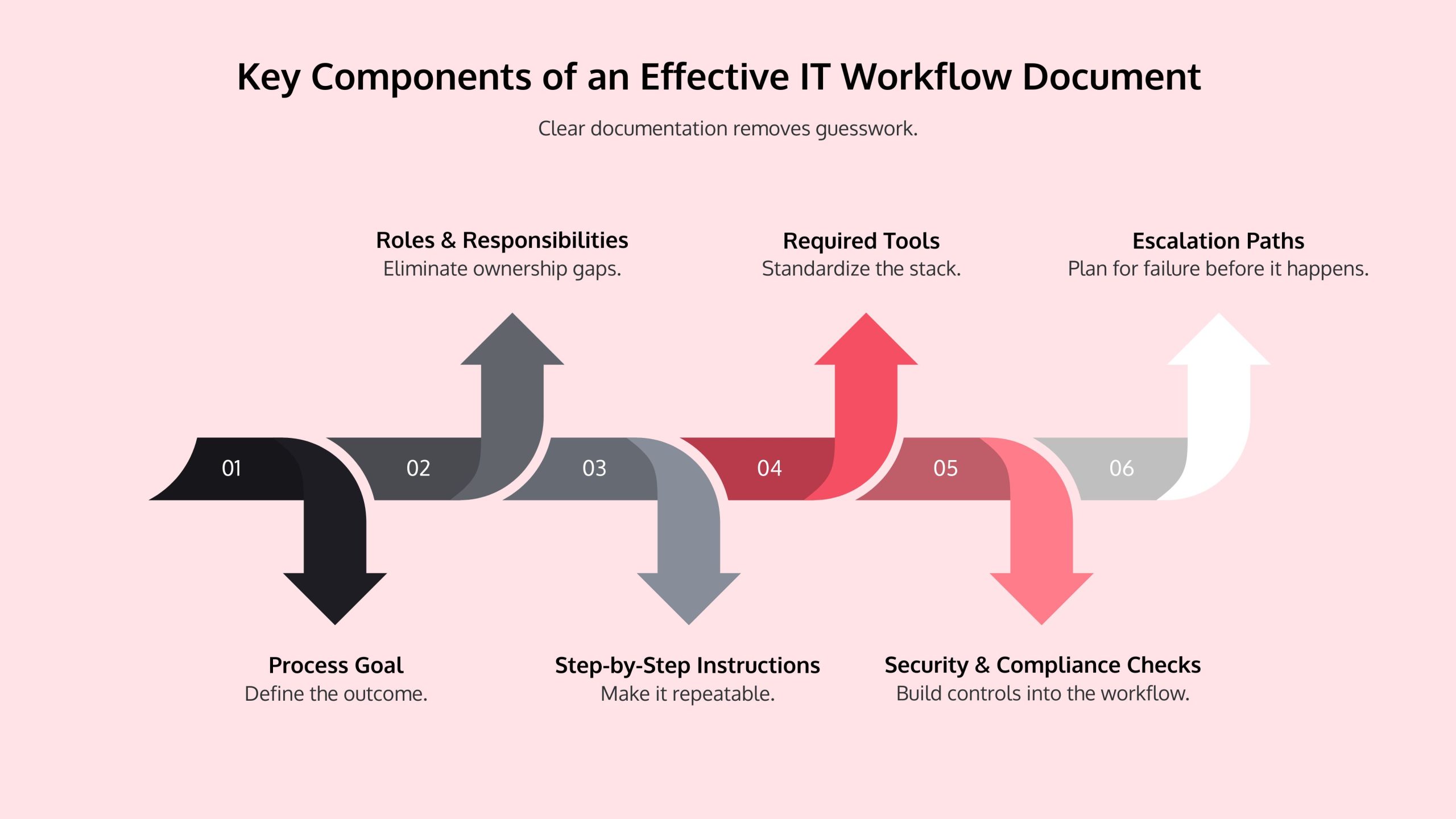
Key Components of an Effective IT Workflow Document
Vague instructions lead to inconsistent results. Your documentation should be so clear that a new hire could follow it without questions. Structure your documents for quick scanning and action.
- Process Goal: What is the desired outcome? (e.g., “Securely set up new client portal access in 15 minutes.”)
- Roles & Responsibilities: Who does what? (e.g., A Katy firm’s Client Manager initiates, IT Admin configures.)
- Step-by-Step Instructions: A clear, numbered list of actions.
- Required Tools: What software is needed? (e.g., QuickBooks Online, secure portal.)
- Security & Compliance Checks: Critical control points. (e.g., For a Conroe firm, “Verify MFA is enabled.”)
- Escalation Paths: Who to contact when something goes wrong.
Overcoming Common Documentation Challenges
The biggest barriers are time pressure and team resistance. The antidote is to start small and involve your team from day one. When people help create the documentation for processes they use, they take ownership.
Works best when: You target a high-impact, low-complexity workflow first, like password resets or new user setup. These quick wins demonstrate value.
Avoid when: Trying to document everything at once. This leads to burnout and unusable documents.
Risks: Your documentation becomes outdated and ignored. This happens when no one owns the process.
Mitigations: Assign a process owner to each workflow and schedule mandatory quarterly reviews to catch changes in software or regulations.
Frequently Asked Questions about Documenting IT Workflows
What’s the difference between an IT workflow and a standard accounting process?
An accounting process defines the “what”—the financial objective, like “perform a bank reconciliation.” It’s universal accounting knowledge.
An IT workflow documents the “how” using your specific technology. It’s the step-by-step recipe for executing that task in your firm’s digital environment. For a bank reconciliation, it would detail the clicks and steps within QuickBooks or Xero. A Houston CPA firm using QuickBooks Desktop will have a different IT workflow than a Katy firm using Xero for the same accounting process.
What tools are best for documenting IT workflows in an accounting firm?
Start with what you have, like Microsoft Word or OneNote. The key is to start, not to wait for the perfect tool. As you grow, consider practice management software like Karbon or Pixie, which have built-in workflow features. For faster creation, tools like Scribe or Tango can automatically capture steps with screenshots. A Conroe accountant, for example, could document a month-end process in under an hour with such a tool. For centralized access, a knowledge base in SharePoint or Confluence works well. The best tool is one your team will consistently use.
How often should we review and update our documented IT workflows?
Review all workflows at least annually. For critical processes involving client data, cybersecurity, or frequently updated software, schedule quarterly reviews. The IRS updates requirements, cloud platforms add features, and security threats evolve. Your documentation must keep pace. Assign a specific owner for each workflow to ensure reviews happen. An outdated workflow is worse than no workflow at all, as it can lead to confusion and serious errors. Make workflow reviews a standing agenda item in quarterly meetings and involve the team members who perform the tasks.
Partner with an Expert to Streamline Your IT Workflows
Documenting IT workflows is the difference between a firm that’s constantly firefighting and one that runs smoothly. It transforms ad-hoc tasks into a reliable, scalable system that empowers your team and builds client confidence.
The best time to start was yesterday. The second best time is now. Pick one critical IT process that causes headaches—client onboarding, month-end reporting, or backup verification—and create a simple guide. Test it, refine it, and then move to the next.
Starting small proves the value and builds momentum. A Katy firm that documents its password reset process can save hours of support time weekly. A Conroe firm that documents its secure file-sharing workflow immediately reduces data exposure risk.
The journey can feel overwhelming, but you don’t have to do it alone. At Netsurit, we’ve spent nearly three decades helping accounting firms in Houston, Sugarland, and beyond streamline operations and strengthen security. We work alongside your team to identify high-impact processes and document them in a way your staff will actually use.
For specialized support in optimizing your firm’s technology and building a resilient operational framework, explore our Accounting Firm IT Services. We help you move from chaos to clarity, one documented workflow at a time.