Why CPA Firms Must Master Their IT Economics Now
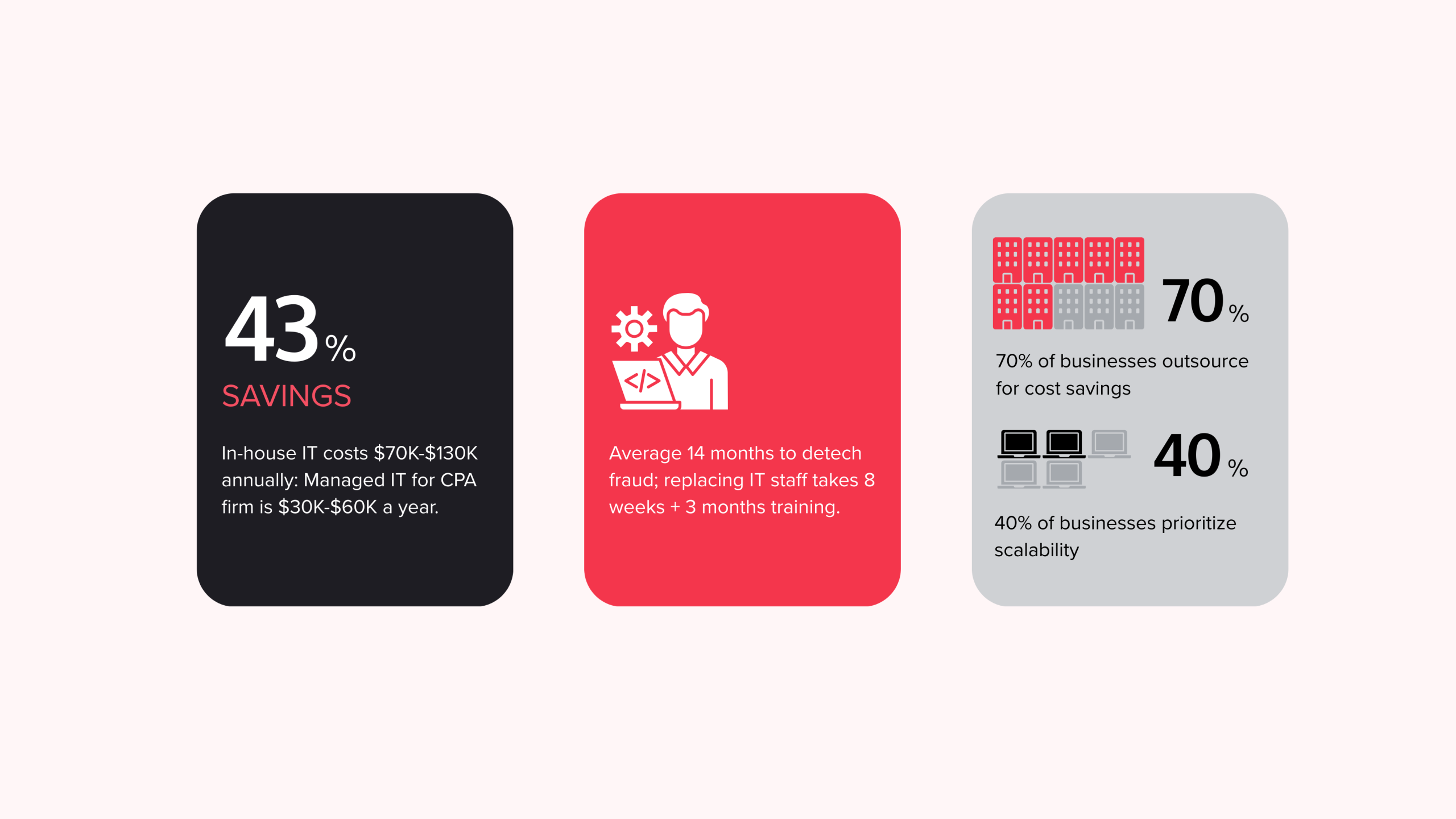
A cost benefit analysis outsourced IT vs internal for CPA practice reveals a clear financial trade-off. The fully-loaded cost of one in-house IT employee runs $70,000 to $130,000 annually, while managed IT services for a small to mid-sized CPA firm typically cost $30,000–$60,000 per year. The difference lies in predictable fees and broader coverage.
Quick comparison for CPA firms:
| Factor | In-House IT | Managed IT Services |
| Annual Cost | $70K–$130K per employee | $30K–$60K total |
| Predictability | Variable (turnover, training, downtime) | Fixed monthly fee |
| Expertise Breadth | Limited to staff skills | Access to specialist team |
| Security & Compliance | Depends on staff knowledge | Built-in compliance expertise |
| Scalability | Requires hiring/firing | Scales with firm growth |
| Tax Season Support | Fixed capacity | On-demand resources |
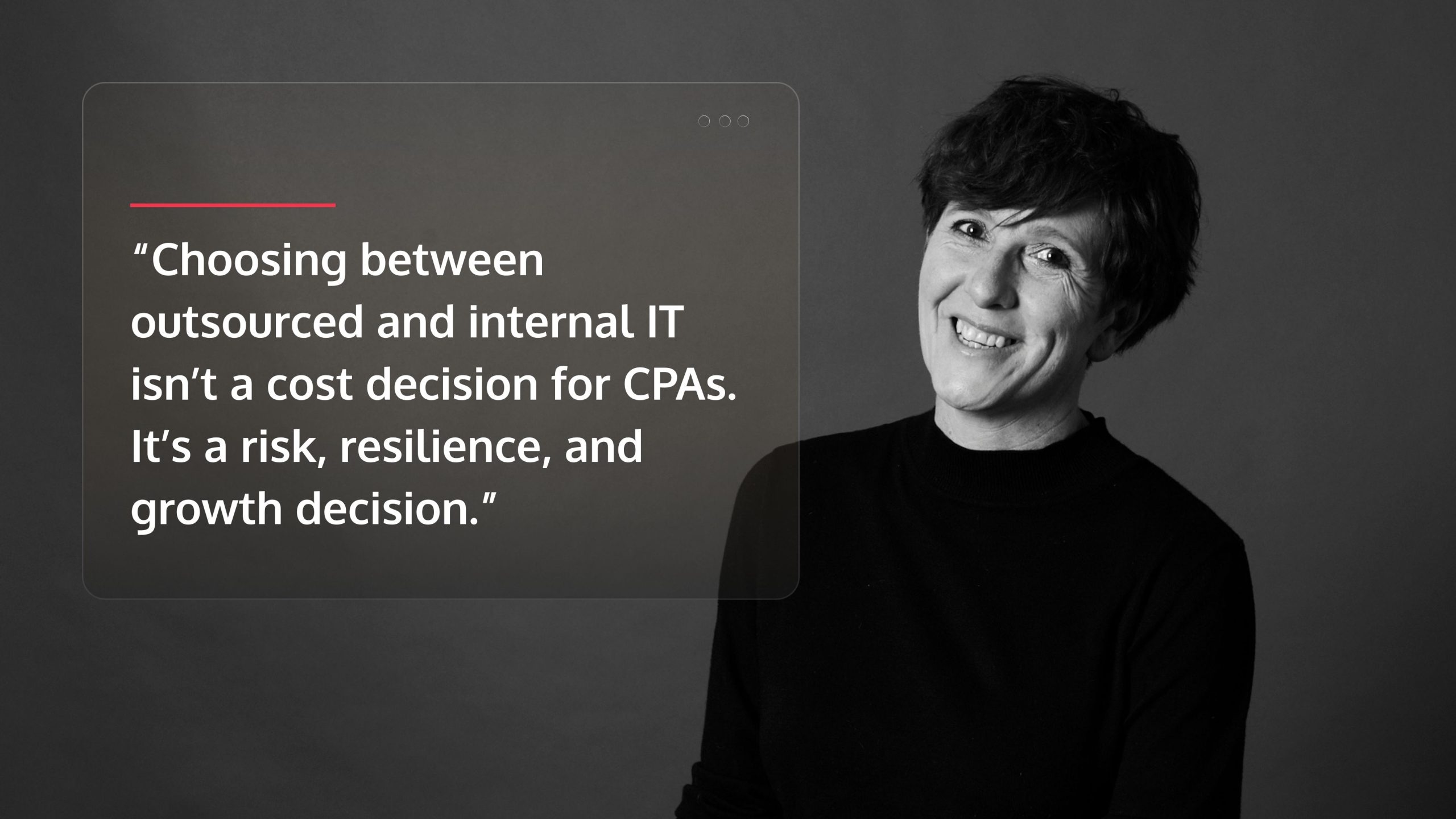
For CPA firms, IT is no longer just overhead. You face career-ending data breaches, tightening IRS security mandates, and unpredictable tax season workloads. The decision isn’t just about cost savings; it’s about managing risk, ensuring compliance, and building an IT strategy that supports growth.
The stakes are high. It takes an average of 14 months to detect fraud, and replacing a key IT employee can take five months from search to full productivity. During tax season, that gap is catastrophic.
I’m Orrin Klopper, CEO of Netsurit. For 29 years, I’ve helped professional services firms steer this exact cost benefit analysis outsourced IT vs internal for CPA practice. The firms that succeed focus on total cost of ownership, not just the monthly bill.
Calculating the Full Burden of an In-House IT Department
When weighing a cost benefit analysis outsourced IT vs internal for CPA practice, an employee’s salary is just the start. The true financial burden of an in-house IT department runs much deeper.
Direct costs begin with a $70,000 to $130,000 annual salary for a qualified IT professional. Add to that benefits like health insurance and retirement, which average $13,000 per employee per year, according to SHRM research on recruitment costs. You’ll also need to budget for hardware and infrastructure ($5,000-$15,000 annually), software licenses ($2,000-$10,000), and ongoing training ($1,000-$5,000) to keep skills current.
The hidden costs are more damaging. Recruitment and turnover can cost three to four times an employee’s salary in lost productivity and hiring expenses. With an average replacement timeline of eight weeks to hire and three months to onboard, and IT turnover rates at 15-20%, you face this disruption every few years. This pressure intensifies during tax season, risking burnout when you need support most.
Downtime is a silent profit killer. When your network fails or ransomware strikes, billable hours stop. A single major outage can cost $5,000 to $20,000 or more in lost productivity alone, excluding reputational damage. Our guide on IT Audits and Assessments can help you identify these vulnerabilities.
Here’s the fully-loaded picture:
| Cost Category | In-House IT (1 Employee) | Managed IT Services (Sample) |
| Direct Costs | ||
| Salary | $70,000 – $130,000 | N/A |
| Benefits | $13,000 | Included in fee |
| Hardware/Infrastructure | $5,000 – $15,000 | Often included/optimized |
| Software Licenses | $2,000 – $10,000 | Often included/optimized |
| Training/Certifications | $1,000 – $5,000 | N/A |
| Indirect/Hidden Costs | ||
| Recruitment/Turnover | $20,000 – $50,000 (avg. over time) | N/A |
| Downtime (lost productivity) | $5,000 – $20,000+ | Minimized |
| Overhead (office space, utilities) | $1,000 – $5,000 | N/A |
| Total Annual Cost (Estimated) | $117,000 – $238,000+ | $30,000 – $60,000 |
This is the cost for one IT employee, who cannot simultaneously specialize in cybersecurity, cloud infrastructure, compliance, and help desk support. The gap between what you pay and what you get is where the cost benefit analysis outsourced IT vs internal for CPA practice becomes clear. You’re not just comparing a salary to a service fee; you’re comparing limited capacity and high risk against comprehensive coverage and predictable costs.
Understanding the Predictable Costs of Managed IT Services
In a cost benefit analysis outsourced IT vs internal for CPA practice, managed IT services replace unpredictable expenses with a fixed monthly fee. This subscription-based model provides comprehensive support, maintenance, security, and strategic planning, allowing you to budget with certainty.
Your flat fee typically covers help desk support, routine maintenance, cybersecurity monitoring, data backup, and strategic IT planning. This consolidates multiple budget lines and leverages the provider’s economies of scale. A managed service provider (MSP) serves hundreds of clients, giving you access to enterprise-grade tools and a team of specialists—cloud architects, security analysts, compliance experts—for a fraction of the cost of a single in-house generalist.
This model shifts IT spending from capital expenditure (CapEx) to operational expenditure (OpEx). Instead of making large upfront investments in hardware and staff, you pay for outcomes like uptime and security, which are guaranteed in a Service Level Agreement (SLA). This financial predictability is a key reason 70% of businesses outsource IT, as it eliminates surprise costs from equipment failures or staff turnover, especially during tax season.
For CPA firms, this means you can scale IT support with your business. Adding new hires or needing more help during tax season is covered incrementally, not in $130,000 hiring chunks. The trade-off is giving up direct, day-to-day control of your IT infrastructure for the relief of focusing on clients instead of technology.
To see how this pricing applies to your firm, review our detailed Managed IT Services Pricing guide and explore the Cost of IT Support for Small Business. These resources provide concrete numbers for your cost benefit analysis outsourced IT vs internal for CPA practice.
A Strategic Cost Benefit Analysis: Outsourced IT vs Internal for CPA Practice
A true cost benefit analysis outsourced IT vs internal for CPA practice goes beyond price tags to weigh Total Cost of Ownership (TCO), risk, and strategic alignment. Your IT should be a growth engine, not just an expense. For firms ready to align technology with business goals, our IT Strategy Services provide a clear roadmap.
Comparing the Total Cost of Ownership (TCO) for a CPA Practice
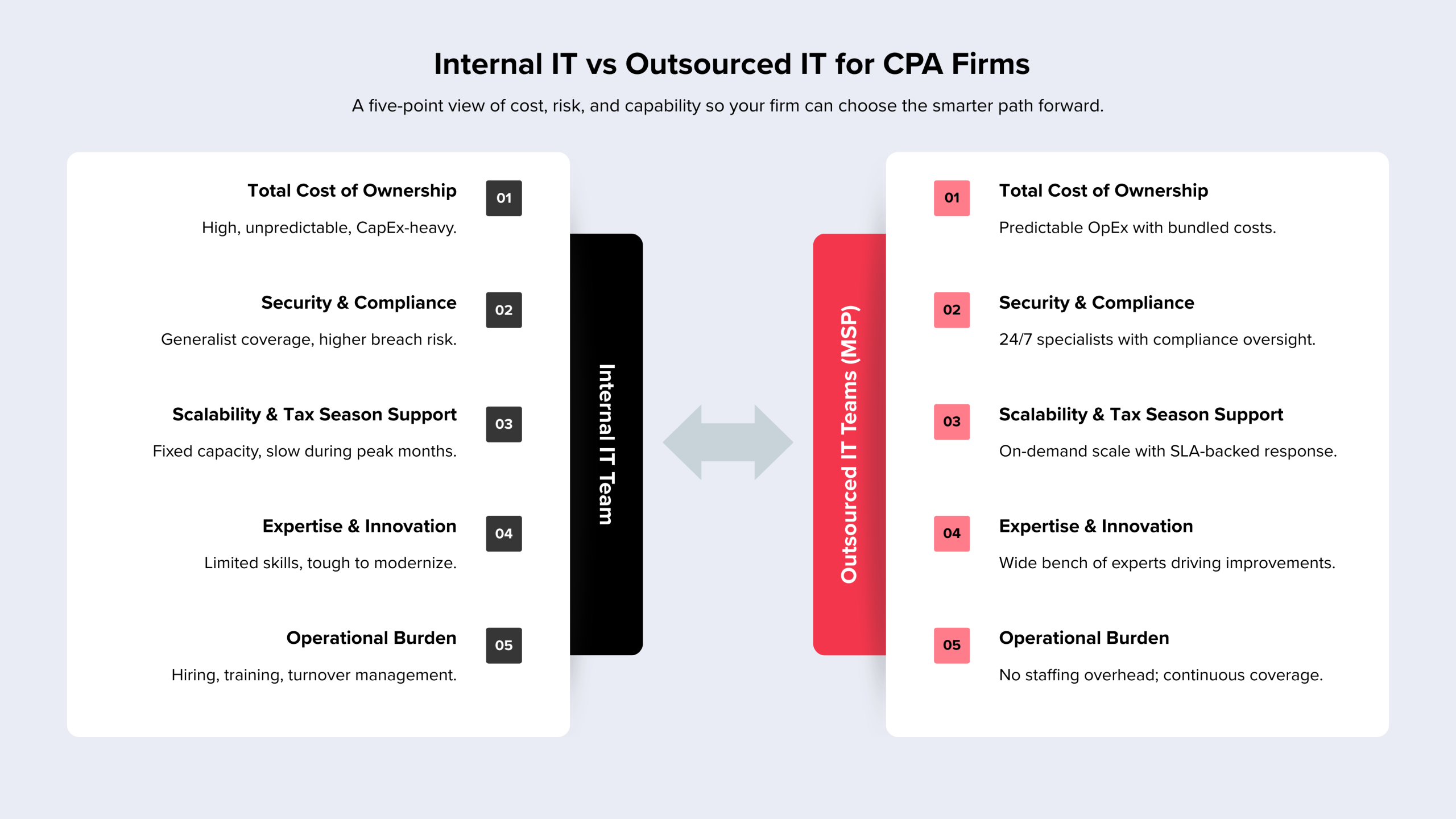
TCO includes all direct, indirect, and hidden costs over time. As detailed earlier, an in-house team requires significant investment in salaries, benefits, hardware, and software. The real financial drain, however, comes from indirect costs like recruitment after turnover, lost productivity during onboarding, and expensive downtime. Managed IT services convert these unpredictable capital expenditures (CapEx) into a steady operational expenditure (OpEx). This model bundles costs into a predictable fee, freeing up capital and management focus. The trade-off is clear: in-house offers direct control with variable costs and limited expertise, while managed IT provides predictability and deep expertise but requires trust in an external partner. Our guide on the Benefits & Risks of IT Outsourcing can help you steer this choice.
Security & Compliance: A Critical Factor in the Cost Benefit Analysis of Outsourced IT vs Internal
For CPA firms, a data breach is an existential risk, making security a central factor in your analysis. You are a prime target for fraud, and the IRS has strict security guidelines for tax professionals. An in-house generalist cannot realistically master firewall configuration, encryption, threat detection, and compliance documentation while keeping up with new threats.
A specialized MSP employs security teams dedicated to monitoring threats and ensuring compliance. Services like our Cybersecurity and Managed Detection and Response (MDR) offerings provide 24/7 monitoring and rapid incident response. The key is to thoroughly vet your provider’s security credentials, including SOC 2 reports and penetration test results. A weak MSP is a greater risk than an in-house team.
Scalability & Expertise: Meeting the Fluctuating Demands of Tax Season
CPA firms operate in seasonal extremes, with IT demands spiking from January to April. An in-house team has a fixed capacity, leading to slow response times and system bottlenecks when you can least afford them.
Managed IT providers scale resources on demand. This scalability is why 40% of businesses outsource. You get 24/7 monitoring and surge capacity without hiring temporary staff. Beyond scaling, an MSP provides a breadth of expertise—in cloud migration, data analytics, and AI integration—that a single employee cannot match. As technology reshapes accounting, access to specialists in Cloud Computing or through IT Staff Augmentation becomes a competitive advantage. The risk is a generic service level agreement (SLA); ensure your contract guarantees response times specifically for your peak tax season.
How to Make the Right Choice for Your Firm
The choice between outsourced and internal IT is a strategic decision that defines your firm’s efficiency, security, and growth potential. There is no single right answer, but a clear framework can help you evaluate your specific needs and build safeguards around whichever path you choose.
Acknowledging the Risks of Outsourcing and How to Mitigate Them
An honest cost benefit analysis outsourced IT vs internal for CPA practice must address the risks of outsourcing. While managed services offer compelling benefits, they introduce dependencies that require active management.
- Risk: Vendor Dependency. Your operations rely on an external provider; their problems become your problems.
- Mitigation: Conduct thorough vendor vetting. Ask for CPA firm references, review SOC 2 reports, and verify security certifications. Our guide on How to Choose a Managed Services Provider details the key questions to ask.
- Risk: Inflexible Contracts. A long-term agreement may not adapt to your firm’s changing needs.
- Mitigation: Demand clear Service Level Agreements (SLAs) with defined uptime guarantees, response times, and straightforward exit provisions that ensure you always own your data.
- Risk: Data Security. Handing sensitive client data to a third party creates a new potential point of failure.
- Mitigation: Your contract must mandate specific protections like data encryption, multi-factor authentication, and compliance with IRS and AICPA standards. Insist on immediate notification of any security incident and rights to review third-party audits.
Managed IT works best when you need specialized expertise, predictable budgeting, and scalability. It is less suitable for firms with highly proprietary systems or those who prefer total internal control above all else.
A Practical Framework for Your Cost Benefit Analysis of Outsourced IT vs Internal
Use this systematic approach to make a data-driven decision.
- Assess Your Current State and Future Needs. Track your IT support tickets for one month to identify pain points like downtime or slow responses. What are your growth plans for the next 3-5 years? What new technologies (e.g., AI tools, cloud practice management) are on your roadmap?
- Calculate the Full TCO for Both Models. For the in-house model, go beyond salary to include benefits, recruitment, training, hardware, software, and the cost of lost billable hours from downtime. For the managed IT model, get detailed quotes from at least three providers and scrutinize what is included versus what costs extra.
- Evaluate Non-Financial Factors. Revisit the core issues of security, scalability, and access to expertise. Which model better protects you from a data breach? Which scales more effectively during tax season? Which gives you access to specialists for strategic projects? An objective perspective from IT Consulting Services can be invaluable here.
- Consider Strategic Alignment. Does managing an internal IT department advance your firm’s core mission of serving clients, or does it distract leadership from what you do best?
Key Metrics to Evaluate IT Performance and ROI
Whether you choose an in-house team or an MSP, track these KPIs to measure performance.
- Uptime: System availability. For CPAs, anything below 99.5% during tax season means lost revenue and missed deadlines.
- Ticket Resolution Time: How quickly problems are fixed. A system outage requires a response in minutes, not hours.
- Cybersecurity Incidents: The number of breaches, malware infections, or successful phishing attacks. For a CPA firm, this number must be zero.
- User Satisfaction: Quarterly surveys of your staff on IT reliability and support. Scores below 7/10 signal underlying problems.
- Cost Per User: Total IT spending divided by the number of employees. This should remain stable or decrease as you grow.
- Compliance Audit Results: Audits from the IRS, AICPA, or state boards should come back clean.
Regular IT Audits and Assessments establish a baseline for these metrics and ensure your IT investment is delivering real value.
Conclusion: Moving Beyond Cost to Strategic IT Partnership
A cost benefit analysis outsourced IT vs internal for CPA practice reveals that the right choice isn’t about cost, but about strategy. The best IT model aligns with your business goals, manages risk, and positions your firm for growth.
For CPA firms across Houston, Sugarland, Conroe, and Katy, the decision impacts everything from client data protection to tax season resilience. An in-house team offers direct control but often comes with unpredictable costs and expertise gaps. Managed IT services provide predictable costs, a team of specialists, and enterprise-grade security, freeing your accountants to focus on clients, not technology.
The firms that thrive treat IT as a strategic partnership. They look at total cost of ownership, assess their risk tolerance, and choose a model that enables their growth.
If you’re ready to build an IT strategy that supports your firm’s aspirations, get expert guidance on IT for your CPA firm. We can help you assess your current state and build a plan that delivers real business value.